In short: Notta got me through my first year of lectures in French. Live translation cost me about ¥40,000 a year (around $260), and I wanted features for studying that I couldn't find, like a summary of only the last 10 minutes or a quiz after class. So I built Compris!, a Windows app you buy once and run with your own AI keys.
I'm the developer of Compris!, so keep that in mind while reading. Notta helped me a lot and I've tried to be fair to it.
My first year with Notta
I'm doing a master's in France. My lectures are in French, which is not my first language.
For the whole first year I ran Notta in every class. The live translation is the reason I could follow at all. I could see the French and the translation next to each other, and when I fell behind I could catch up by reading. The AI summaries were useful when I reviewed in the evening.
Two things bothered me, though.
The first was the price. Transcription with live translation came to about ¥40,000 a year for me. For a student that is a lot of money, and it's a subscription, so it keeps going as long as I'm studying.
The second was that I kept wanting things it didn't do for me. When I lost the thread in the middle of a lecture, I wanted to ask "what did the professor say in the last 10 minutes?" And after class I wanted a short quiz, to check whether I had actually understood or only thought I had.
What I built
Compris! listens to a lecture or a meeting, writes down what's said and translates it as it goes. In a classroom it uses the microphone. For Teams, Google Meet or Zoom it takes the sound straight from the PC.
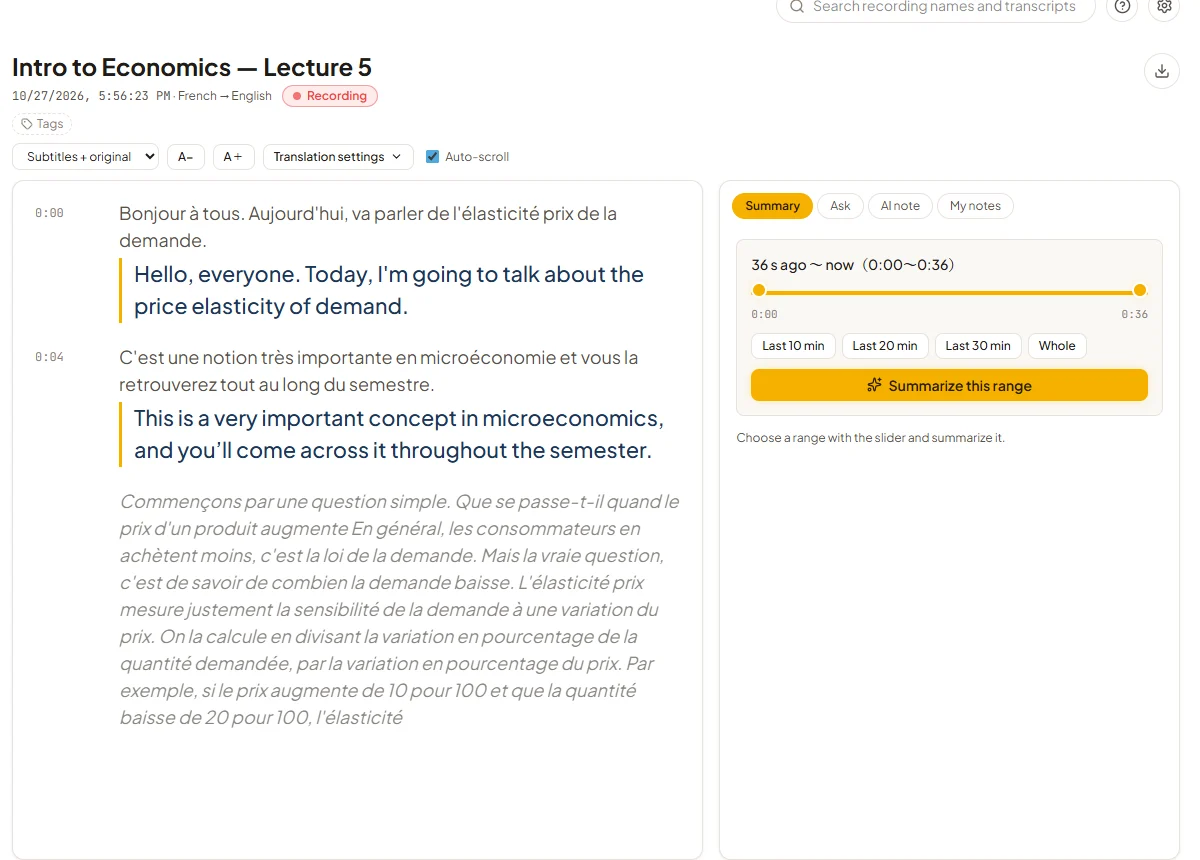
During class
You can summarize any part of the lecture so far. The buttons cover the last 10, 20 or 30 minutes, and the slider lets you pick any other range.
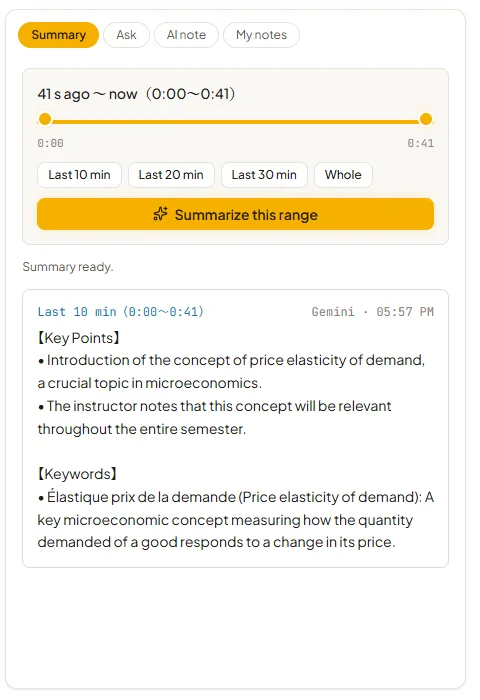
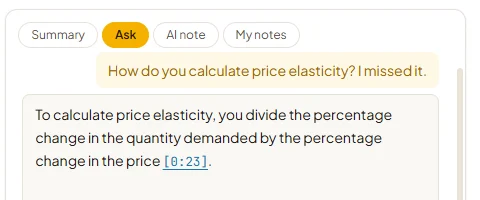
You can also ask questions about the lecture. I mostly use this before I raise my hand, to check whether the professor already explained the thing I'm about to ask. The answer links to the moment in the lecture it comes from.
There is also a "Speak for me" button. You say or type what you want to ask in your own language, and Compris! translates it and reads it out with a Windows voice.
After class
When you stop recording, Compris! writes AI notes for the lecture. You can also make notes partway through. They export to PDF or plain text. Next to them there's a "My notes" tab for your own notes, with Markdown and images.
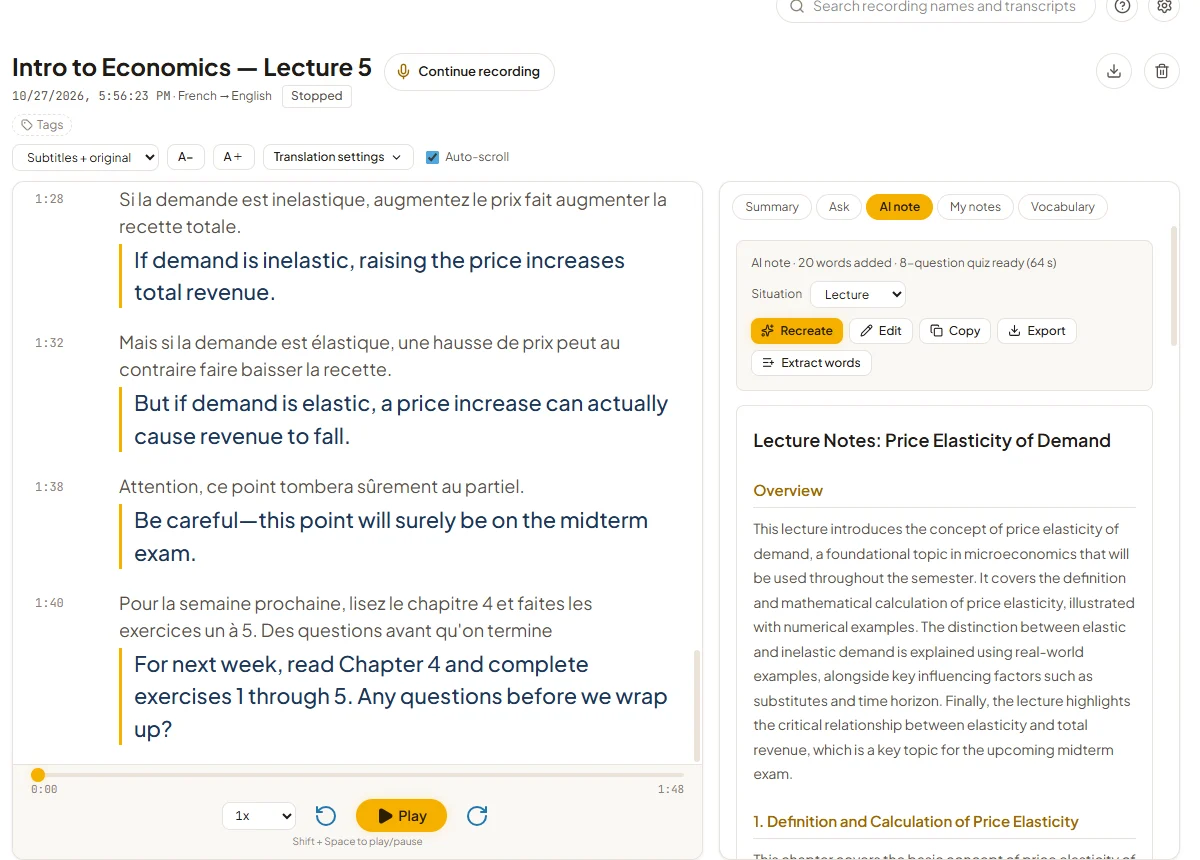
Important words are picked out automatically and saved to a vocabulary list. For each word you can play the moment the lecturer said it, which helps a lot with pronunciation.
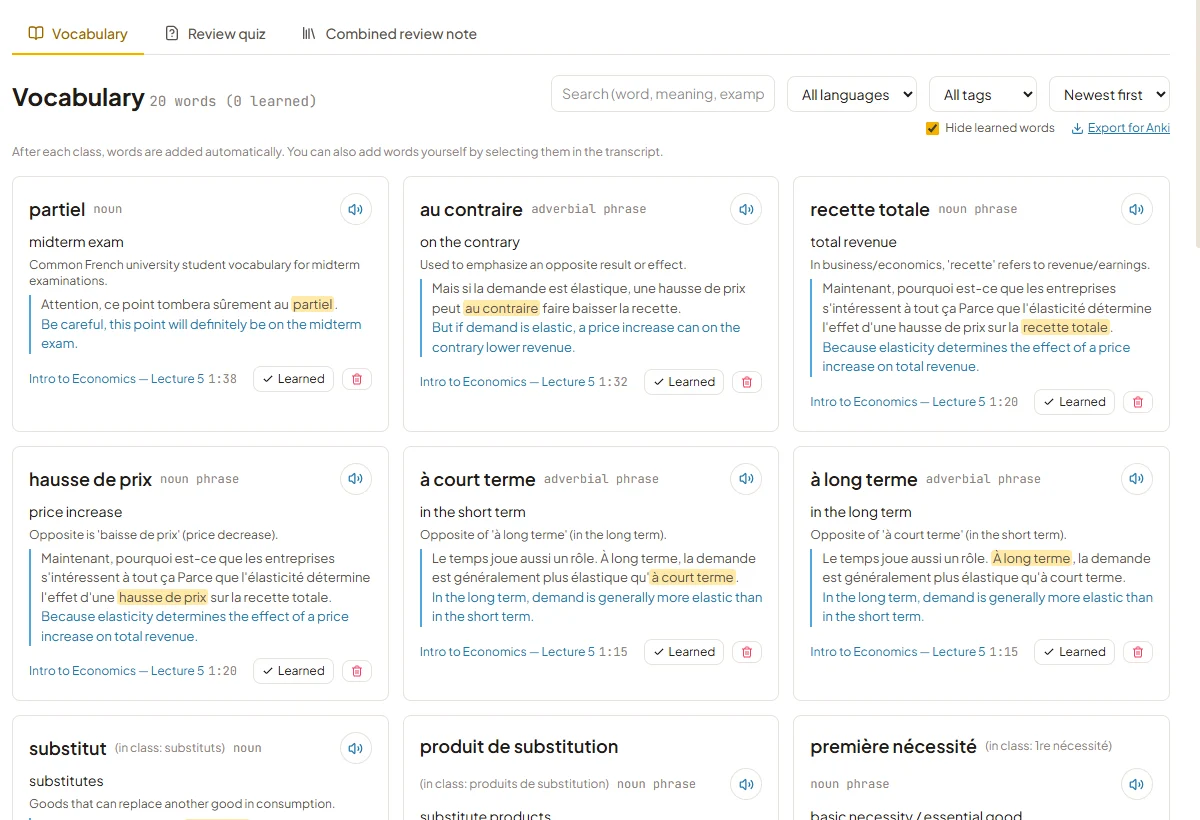
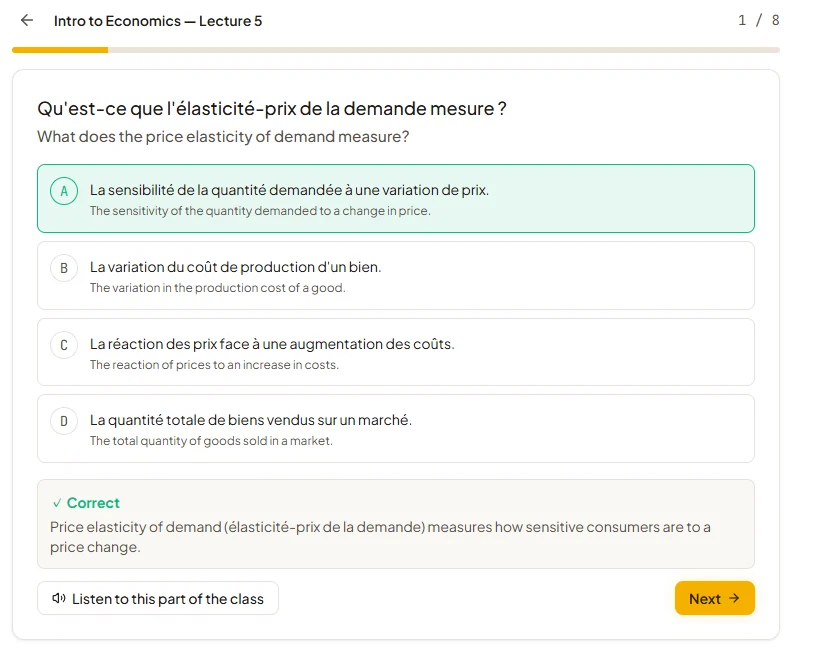
Then there's the review quiz, made from what was said in class. This is the part I use most.
Not only for studying abroad
I built it for lectures in a second language, but most of it is just as useful when the class is in your own language. You can turn translation off when you start a recording, and Compris! becomes a lecture transcription and summary tool.
- A full transcript of every lecture, searchable later.
- Catching up on the last 10 minutes after your attention drifted, or after you stepped out.
- Asking what the lecturer said about a topic before an exam.
- AI notes and a review quiz for each class.
It works the same way for meetings, seminars and online talks.
Why you pay once and bring your own keys
A monthly fee for a translation tool never felt right to me, so Compris! is a one-time purchase. You get 7 days to try everything. After that it's ¥2,500 (or $20) at the early-bird price, and you keep it.
The AI part runs on your own API keys. I use Deepgram for speech-to-text and Gemini for translation and the AI features. Deepgram gives new accounts $200 of free credit and Gemini has a free tier, so for me that works out to roughly a year of lectures for close to nothing. After that you pay those companies directly for what you use. I'm also planning to support Soniox, which is cheaper for speech-to-text.
Notta or Compris!?
| Notta | Compris! | |
|---|---|---|
| How you pay | Subscription (about $260 a year for me, with live translation) | Once, $20 early bird |
| AI usage (7–8 h of lectures a week) | Included in the subscription | Paid to Deepgram and Gemini: almost free in year one with their free credits, then about $85 a year (about $45 with Soniox, coming soon) |
| Getting started | Sign up and go | About 10 minutes to add API keys |
| Devices | Phone, web and desktop | Windows only for now |
| Where recordings are kept | Notta's cloud | Your PC |
| Made for | Meetings and general transcription | Studying: range summaries, vocabulary with the lecturer's voice, quizzes |
If you want something that works on your phone or a Mac with no setup, Notta is the easier choice. If you're on Windows and want lecture transcripts, summaries and review tools (with live translation when the class isn't in your first language), and you'd rather pay once and keep your recordings on your own computer, try Compris!.
FAQ
How much does Compris! cost?
7 days free with every feature, then a one-time ¥2,500 / $20 early-bird price. Deepgram and Gemini bill you separately for what you use. With their free credits, a normal student timetable is close to free for the first year.
Does it work for online classes?
Yes. It records the PC's sound, so Zoom, Microsoft Teams, Google Meet and lectures on YouTube all work.
Which languages does it support?
English, French, Spanish, German, Chinese, Korean and Japanese, in any combination.
Can I record my lectures?
That depends on your university and your lecturer. Ask first, and don't share the recordings.
I'd like a feature it doesn't have.
Please send it through the contact form. Most of what's in Compris! started as something I wanted during a lecture.